BitNautic
0%
Request a demo

BitNauticBTNT TokenGuide

How To Buy BitNautic? How to Install Metamask to buy BTNT on Pancakeswap? Step By Step Guide

How to buy BitNautic

BitNautic is a 100% decentralized shipping platform that provides a smooth, efficient, and transparent shipping experience. BTNT cryptocurrency serves as a means of exchange on the BitNautic Platform, allowing transactions to complete faster. The price of a cryptocurrency is one of the important factors. There are signs that the crypto market is about to enter a new age. BTNT’s price will rise since there is still optimism that the currency will attract more attention. In 2022, with more adoptions and partnerships between other important blockchain networks, the price of BitNautic Token would skyrocket, and the maximum trading price may reach $0.64 in 2022. The price ranges are going to be very trendy if we keep it that way. If everything goes well, we can expect an average price of $0.57 with a maximum price of $0.64 for 2022.

Here’s a full step by step guide how to buy bitnautic BTNT on Pancakeswap

01How to install MetaMask?

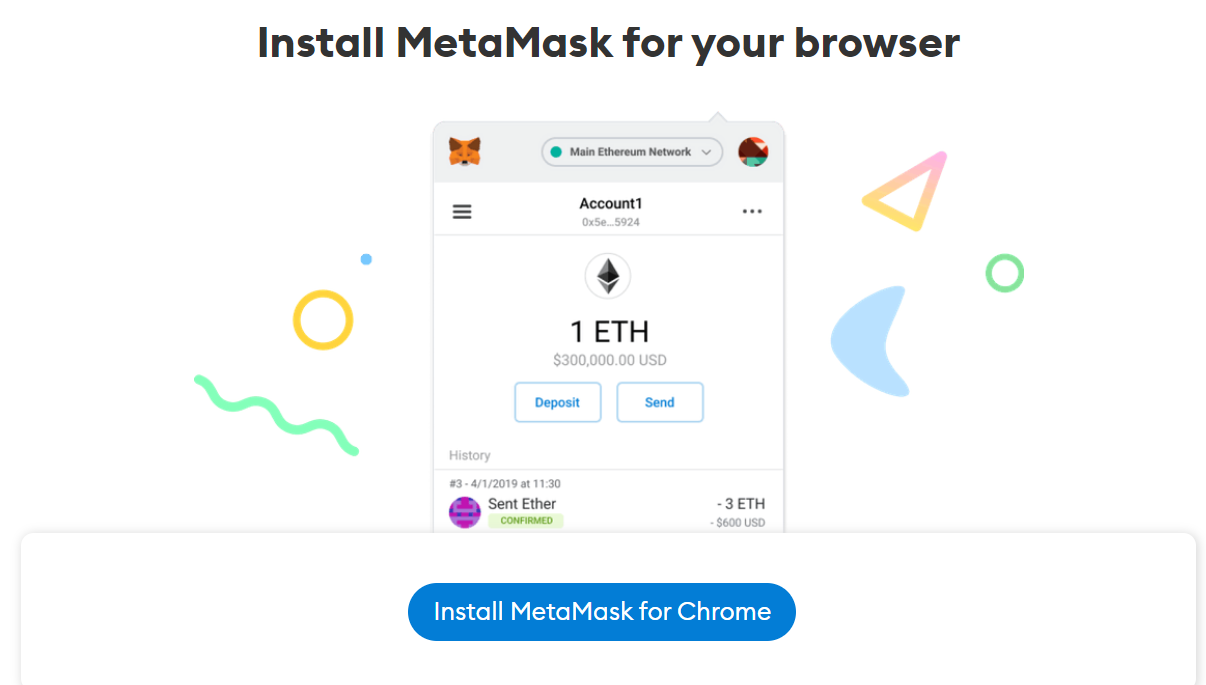
  1. Step 1 — Go to https://metamask.io/download.html
  2. Step 2 — Click on ‘Install MetaMask for Chrome’.
    Install MetaMask for Chrome
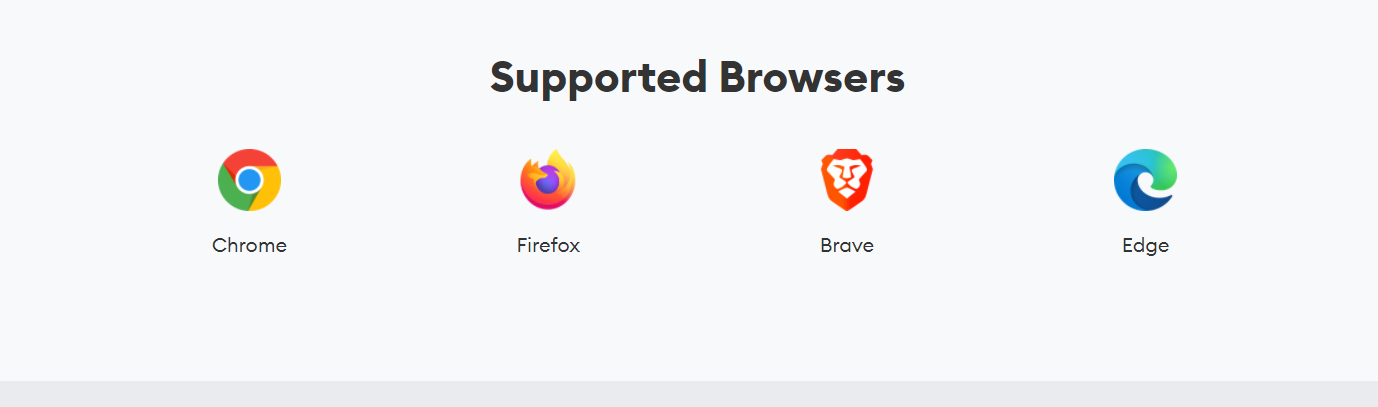
    Other supported browsers for MetaMask
    Other supported browsers for MetaMask
  3. Step 3 — Click “Add to Chrome” in the upper right.
  4. Step 4 — Click “Add Extension” to complete the installation.

02How to add Binance Smart Chain on MetaMask?

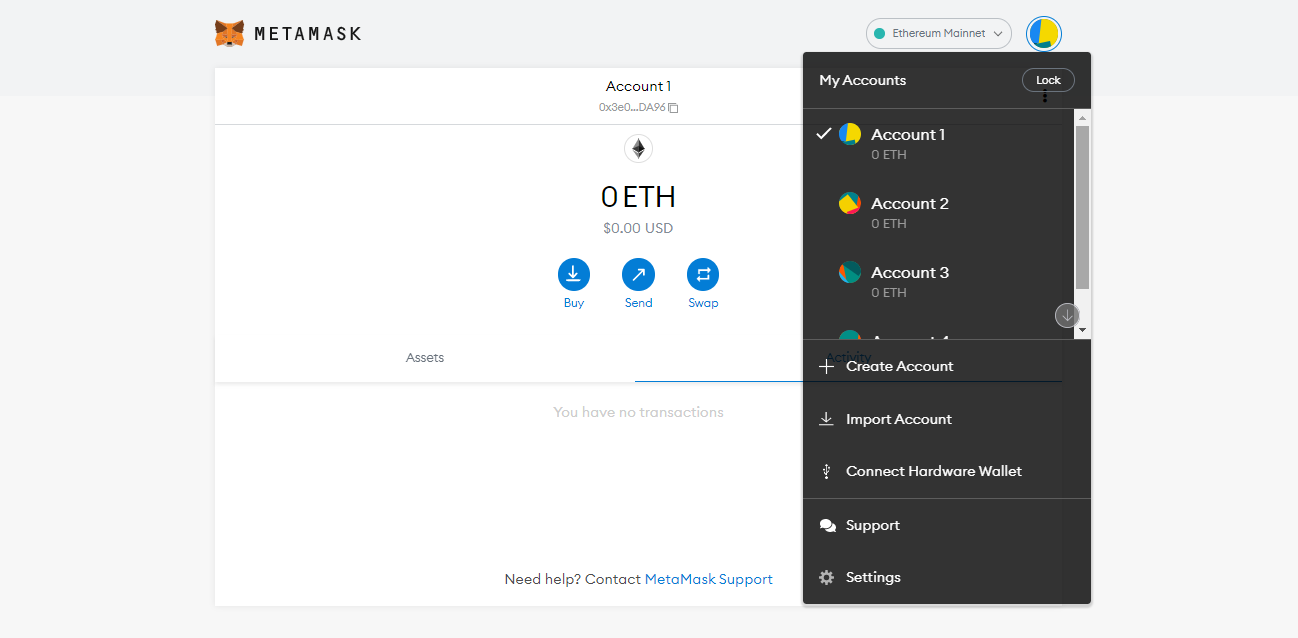
  1. Step 1 — Go to the settings page
    The settings page
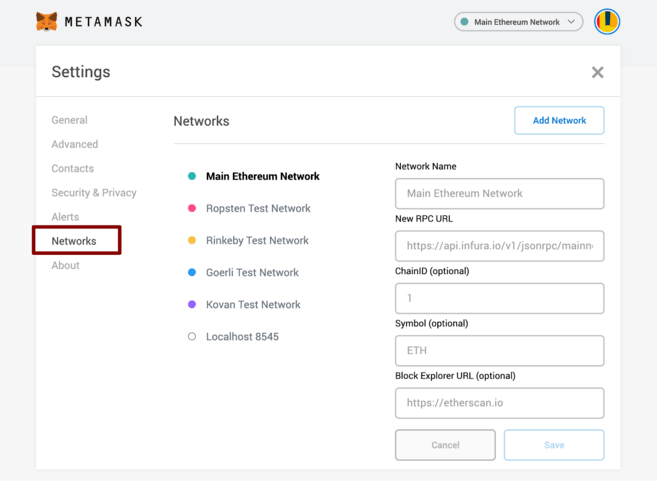
  2. Step 2 — Navigate to the ‘Network’ menu
    The Network menu
  3. Step 3 — Click on ‘Add Network’ on the top right corner
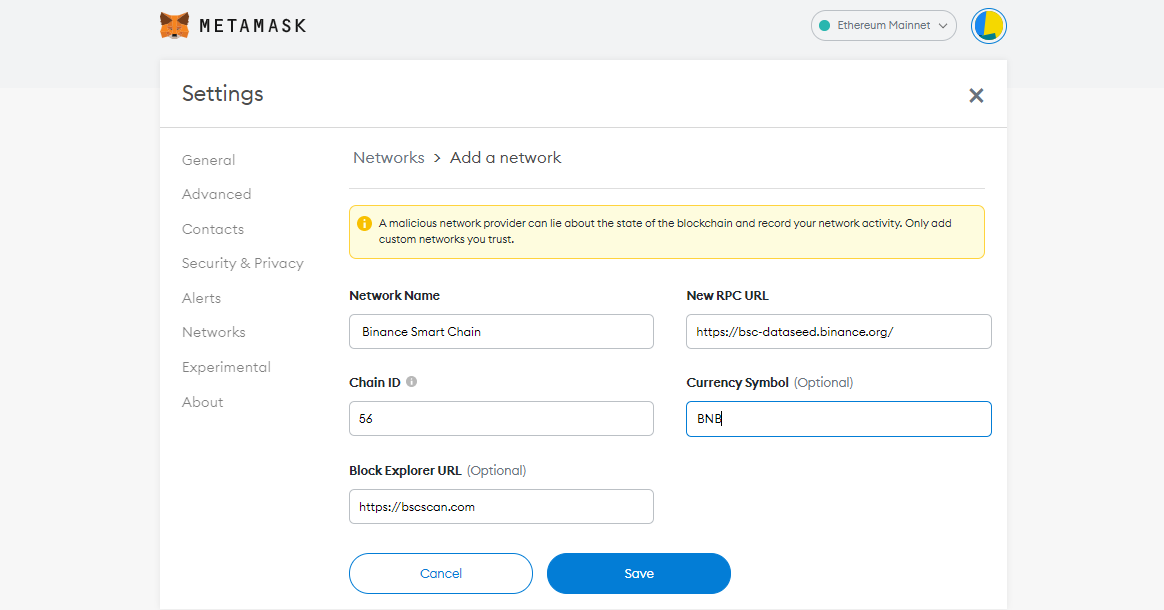
  4. Step 4 — Fill in the following details - Network Name: Binance Smart Chain New RPC URL: https://bsc-dataseed.binance.org/ ChainID: 56 Symbol: BNB Block Explorer URL: https://bscscan.com
    The network details
  5. Step 5 — Hit the ‘Save’ button

03How to import BTNT token in your MetaMask wallet?

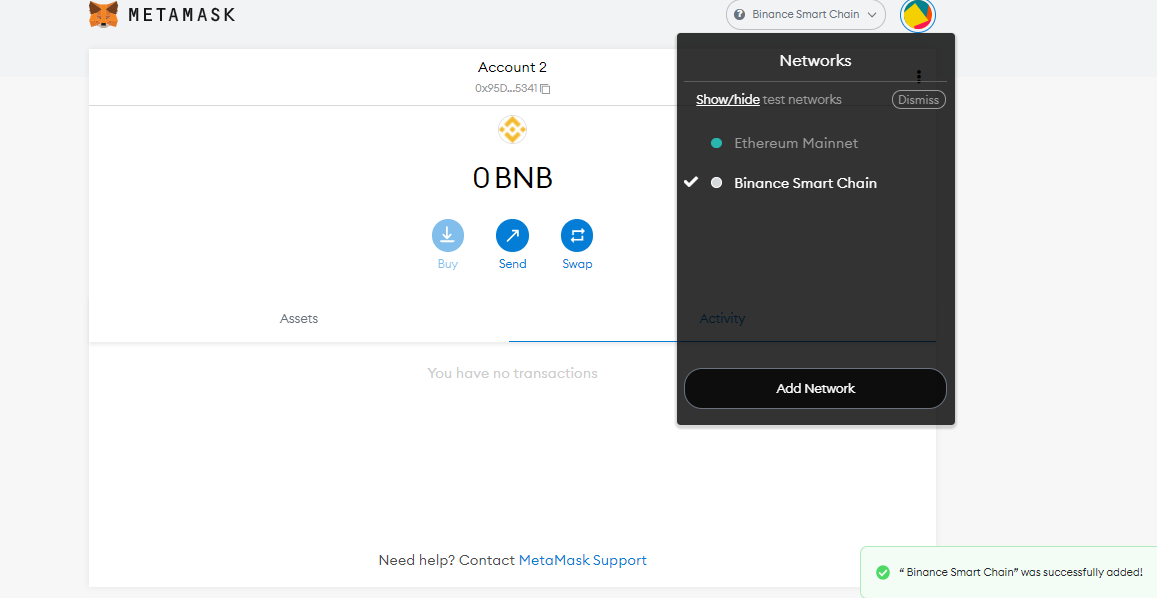
  1. Step 1 — Select Binance Smart Chain Network
    Select Binance Smart Chain Network
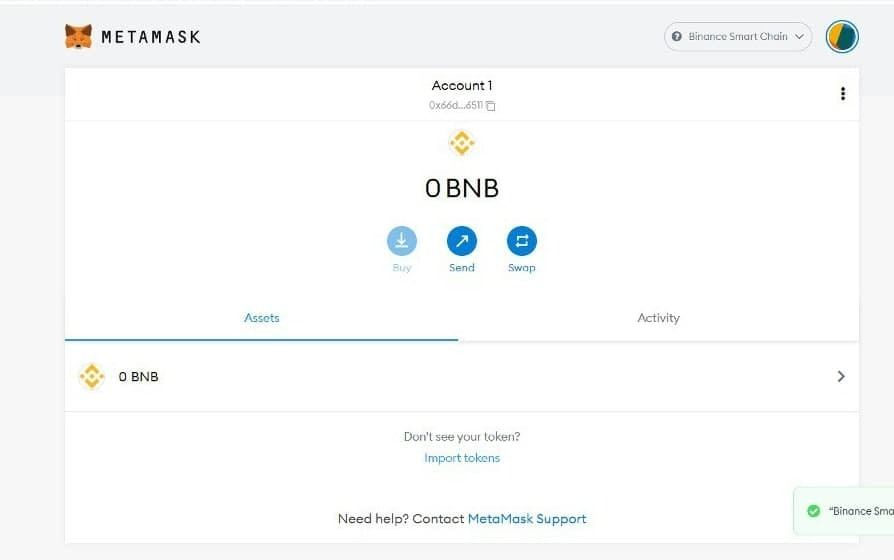
  2. Step 2 — Click on ‘Import Token’
    Import Token
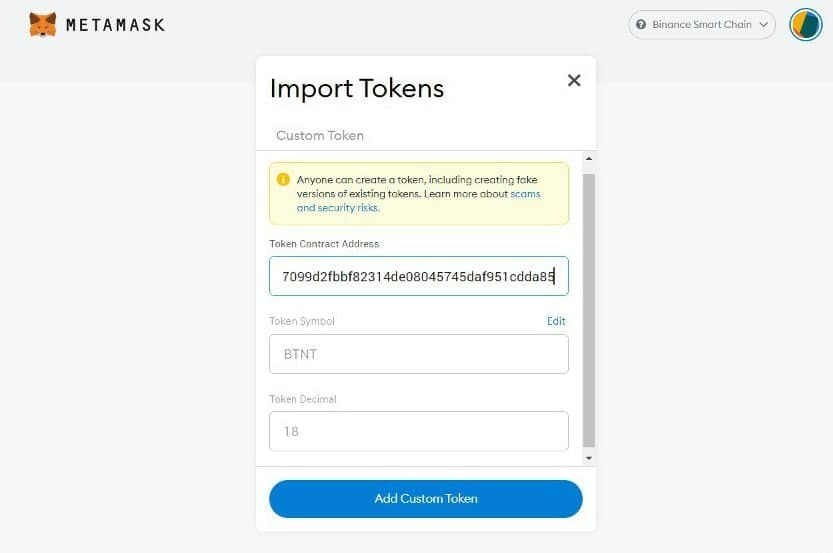
  3. Step 3 — Fill in this contract address
    0xb9c7099d2fbbf82314de08045745daf951cdda85
    Other data will be automatically filled
    The contract address filled in
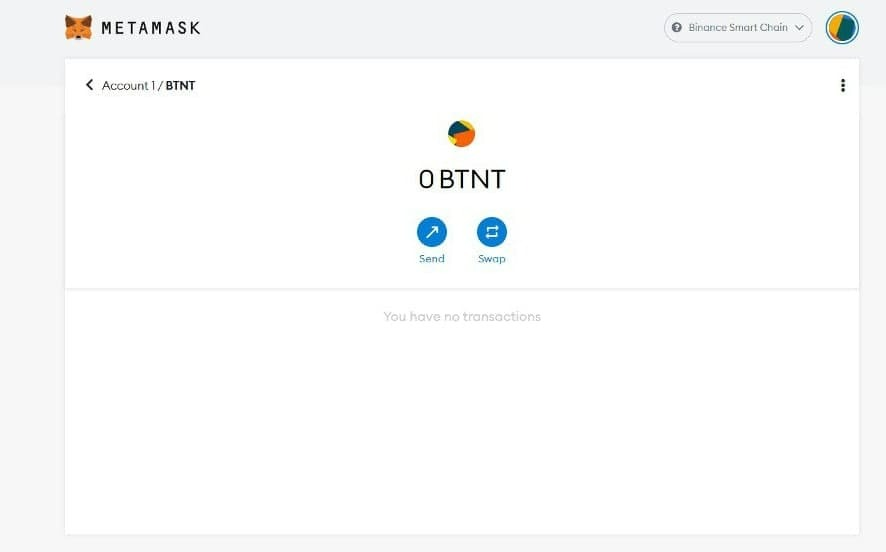
  4. Step 4 — Click on ‘Add Custom Token’ and the BTNT token will be added
    The BTNT token added

04How to buy BTNT Token from Pancakeswap?

  1. Step 1 — Go to https://pancakeswap.finance/
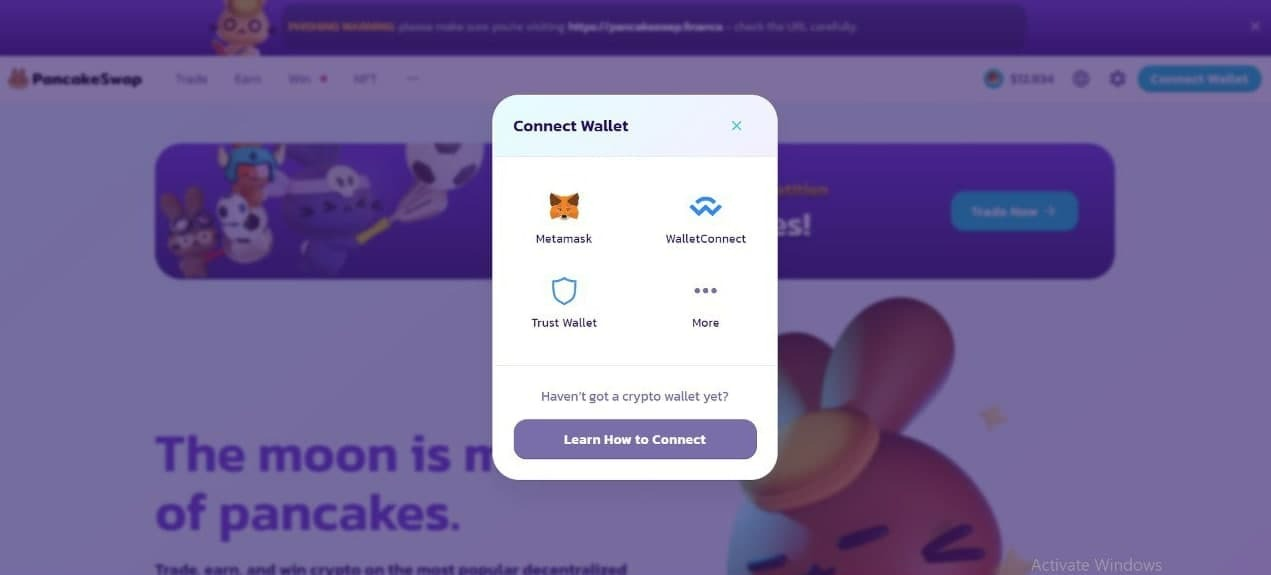
  2. Step 2 — Connect your wallet by clicking on ‘Connect Wallet’ on top right corner
    Connect Wallet
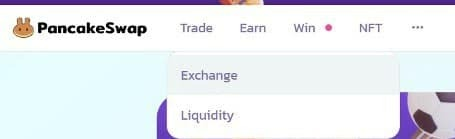
  3. Step 3 — Navigate to ‘Trade’ and click on ‘Exchange’
    Trade, then Exchange
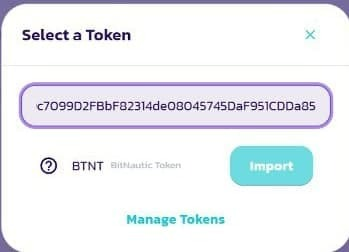
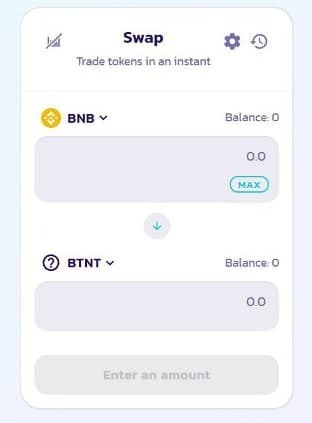
  4. Step 4 — To buy BTNT with BNB, Select ‘BNB’ in the first box and ‘BTNT’ in the second box. For that you have to paste address of BTNT and click on ‘Import’ — 0xb9c7099d2fbbf82314de08045745daf951cdda85
    Select BNB and BTNT
    Import BTNT
  5. Step 5 — Once you put the amount of BNB, then the amount of BTNT will be automatically calculated. Then you can proceed and complete the transaction

Note — As a shortcut, you can use this link to trade BNB/BTNT pair

We hope you found this guide useful, and that you'll keep supporting our great project! To know more visit:

Office LocationLondoneast-Uk Business And Technical Park, Nrv Tax, Yewtree Avenue, United Kingdom, RM10 7FN

Email Address[email protected]